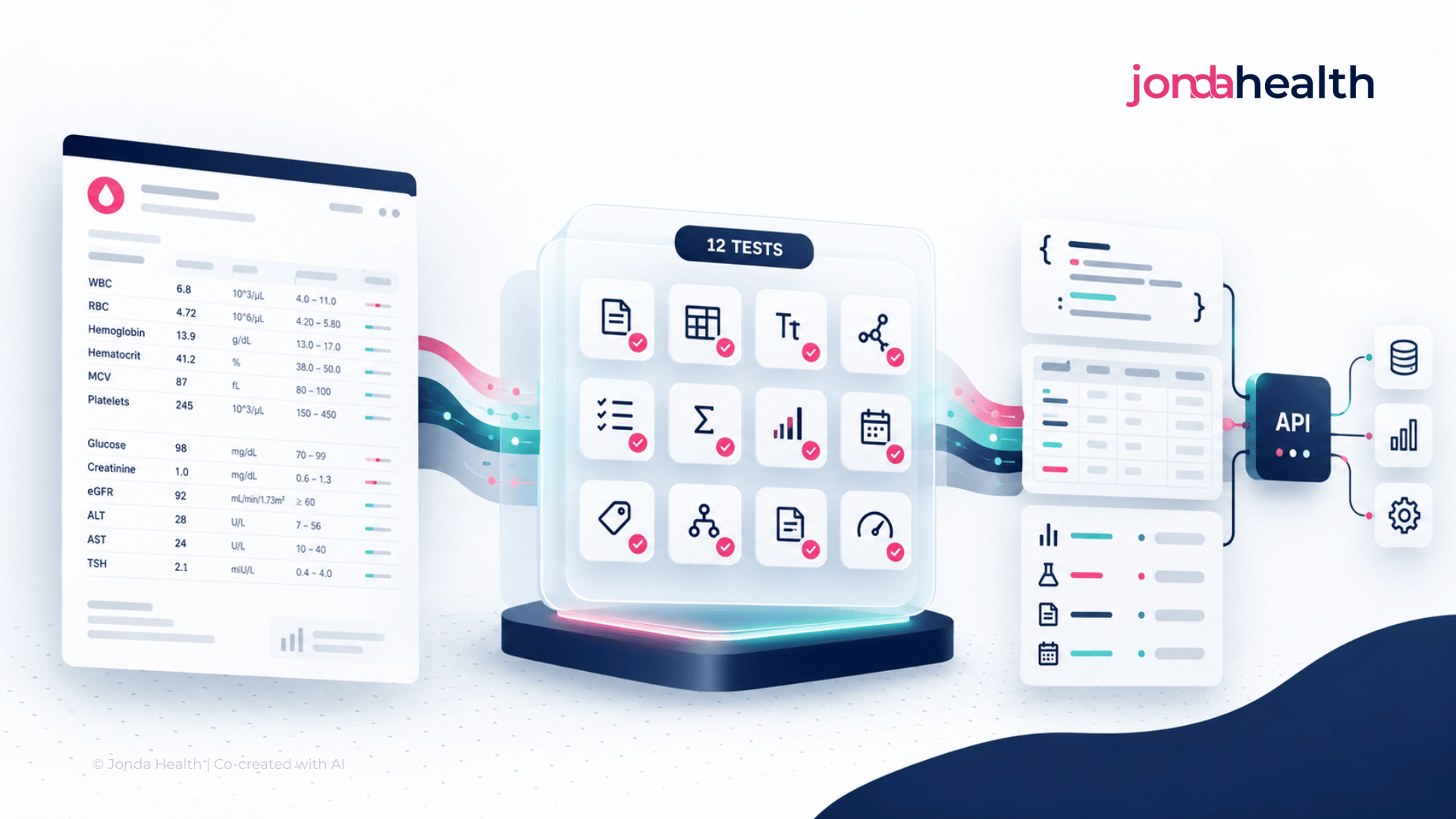
A practical guide to evaluating lab report APIs: 12 things to test on your own documents before you integrate, from extraction accuracy to cost per usable record.

A lab report API takes a laboratory report in whatever form it arrives (a digital PDF, a scan, a photograph taken on a phone) and returns the results as structured data that software can use. Digital health apps, clinics, EHR vendors, insurers and research teams use these APIs so that nobody has to retype results by hand.
If you are comparing options, the natural first question is whether the API can read a PDF. Almost all of them can. The more useful question is whether it can reliably turn the kinds of reports you actually receive into the data your system actually needs. Those are different problems, and the gap between them is where most integrations run into trouble.
This guide sets out twelve things worth testing before you commit. It is written to be vendor neutral. At the end we explain how JondaX, the lab report API from Jonda Health, approaches each area, so that you can hold us to the same standard.
Extracting text from a document is a largely solved problem. Understanding a laboratory result is not. A result is a small bundle of related facts: which test was performed, the value, the unit, the reference range, the specimen, the date and whether the result was flagged as abnormal. The clinical meaning lives in the relationships between those facts. An API that captures every character correctly and then attaches the wrong reference range to a value has produced something that looks clean and is quietly wrong.
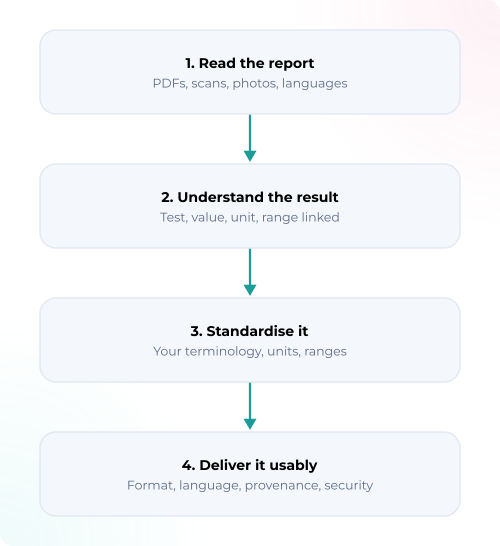
A good evaluation therefore looks at four layers: reading the document, understanding the result, standardising it, and delivering it in a form your systems can use. The twelve tests below work through those layers in order.
Vendor demos tend to use clean, digitally generated reports from well known laboratories. Your real inbox probably looks different. Build a test set that represents what you truly receive, and include the difficult material on purpose: scanned reports, phone photographs taken at an angle, multi-page reports where a table continues across a page break, reports from many different laboratories with different layouts, reports in every language your users bring, handwritten annotations if they matter to you, and results with missing values.
A set of 100 to 200 reports, chosen to reflect your real mix, will tell you more than any published accuracy figure. Keep it fixed so that you can run every vendor against the same material.
Ask how accuracy is measured. A figure such as "99% accurate" means little unless you know whether it refers to characters, fields or whole documents. For laboratory data, small errors carry large consequences. A misplaced decimal point turns 4.2 into 42. A dropped comparator turns "<0.5" into "0.5". A missed abnormal flag removes the one thing a clinician would have looked at first.
Score each field separately (test name, value, unit, reference range, flag, collection date) and pay attention to the fields that fail most often, because those will drive your manual review workload later.
Suppose an API correctly reads the text "CRP 4.2 mg/L". That does not yet mean it has understood the result. You need to check whether it has identified the test as C-reactive protein, captured 4.2 as the value and mg/L as the unit, attached the correct reference range, recorded the specimen type and the collection date, and kept all of those elements linked to one another rather than to the neighbouring row.
This matters most in dense reports, where a full blood count or a metabolic panel places twenty results in a tight table. Check that panels are preserved as panels, that each result keeps its own range, and that results from different dates on a cumulative report are not merged.
Different laboratories use different names for the same test. One report says "HbA1c", another says "Glycated haemoglobin", a third says "Hemoglobina glicosilada". If your product needs to trend a result over time or compare patients across sites, those names need to resolve to the same clinical concept.
The important question is which concept system they resolve to, because it needs to be yours. Some organisations work with international medical coding standards. Others are required to use a national code set, and many hospitals and laboratory networks maintain their own internal catalogue that their EHR, billing and analytics already depend on. An API that maps beautifully to a standard you do not use simply moves the mapping work downstream to your team. Before you evaluate anything else, write down the terminology your destination system expects, and ask each vendor to demonstrate output in that terminology on your own reports.
Remember too that reading the words correctly and mapping the concept correctly are separate skills. An API can transcribe a test name perfectly and still assign the wrong code, for example by ignoring the specimen (a glucose measured in urine is not the same test as a glucose measured in blood) or the method. Ask whether the mapping is visible to you, whether you can review and correct it, how unmapped tests are reported back to you, and who maintains the mappings when your catalogue or the underlying standard changes.
Glucose may be reported in mg/dL by one laboratory and in mmol/L by another. If the API converts units, check that the conversion is correct for that specific analyte, that the reference range is converted alongside the value, and that the original value and unit are retained so the conversion can be verified. Reference ranges also vary by age, sex and laboratory, so confirm that the range on the report is the one that is preserved, rather than a generic range substituted from elsewhere.
Most buyers ask about accuracy. Fewer ask what the system does when it is uncertain, and in healthcare that answer matters just as much. No extraction system is right every time, so the practical question is whether it tells you when it might be wrong.
Find out whether the API provides confidence scores at the level of individual fields, whether it flags ambiguous results instead of guessing, whether it distinguishes a value that was absent from the report from a value it failed to extract, and whether there is a route to human review for low confidence cases. A useful test is to include a few deliberately poor quality images in your test set and see whether the API returns confident nonsense or an honest flag.
For every structured value, you should be able to trace back to where it came from: which document, which page and ideally which region of the page. You should also be able to see what was changed along the way, such as a unit conversion, a translation or a terminology mapping. This is what allows a clinician, an auditor or your own support team to verify a result in seconds. Without it, every query about a number becomes an investigation.
An API can ingest a report well and still hand back output that is awkward to use, so it is worth specifying what you need on three fronts.
The first is format. Confirm that the API offers what your downstream systems consume, whether that is JSON, FHIR, HL7 v2, CSV or a custom schema, and that you will not need to build a conversion layer of your own.
The second is structure. The same kind of result should come back in the same shape every time, with a documented and versioned schema, so that your engineers are not writing special cases for every laboratory.
The third is language, which is easy to overlook until you operate across borders. Reports may arrive in Thai, Bahasa Indonesia, French or Spanish, while your clinicians, analysts or users need the data in English, or the reverse. Ask which input languages are supported, and then ask separately which language the output can be delivered in, because those are different capabilities. Check that test names are translated through the clinical concept and not word for word, since literal translation of laboratory terms produces plausible errors. Check how free-text comments and interpretive notes are handled, and whether the original text is kept alongside the translation. Finally, look at regional conventions: a decimal comma ("4,2") must not be read as forty-two, and a date written as 03/04/2026 must be interpreted according to the country the report came from.
Extraction is one step in a longer journey. The result still has to arrive somewhere: an EHR, a personal health record, an analytics environment or an AI application. Run at least one report through the full path, from the original document through the API and into the destination system, and confirm that it lands correctly. If you are working with FHIR, validate the resources rather than assuming they are valid. Problems at this stage are much cheaper to find during evaluation than after launch.
A laboratory report contains far more than results. It usually carries the patient's name, date of birth, a national ID or medical record number, an address, a phone number, the referring doctor and often a barcode. The moment you send that document to an API, you are responsible for knowing what happens to every one of those details. This deserves attention before the technical work goes too far, because a vendor that falls short here cannot be fixed with engineering.
Start with location. Ask in which country and on which cloud infrastructure the documents are processed and stored, whether that can be chosen to fit your data residency obligations, and whether any part of the pipeline sends data across borders. This includes third-party AI models: if the vendor passes your documents to an external large language model, you need to know which one, where it runs and under what terms.
Then ask about PII specifically. Find out whether identifiers are removed or pseudonymised before extraction and AI processing, or whether the full document travels through every stage. Ask whether you can choose if identifiers are returned in the output or withheld, who holds the key that links pseudonymised records back to a person, and whether identifiers appear in logs. If humans review documents for quality, ask whether they see identified or pseudonymised versions, who employs them and where they are based.
Finally, cover retention, deletion, access controls, encryption, the list of sub-processors and whether your data is ever used to train models. Ask for evidence in each case: certifications such as ISO 27001, a data processing agreement, and a clear statement of which regulatory frameworks the service is designed to comply with.
Good documentation, a sandbox and clear error messages save weeks of engineering time. Check whether processing is synchronous or asynchronous, whether webhooks are available, what the typical latency is for a multi-page scanned report, how rate limits work and what happens during a spike in volume. Try the support channel during your evaluation, because the speed and quality of that answer is a fair preview of what you will experience in production.
If your team is building with AI agents, it is also worth asking whether the vendor offers an MCP server or a similar interface, so that an assistant can call the service directly.
The price per document is only one part of the cost. The figure that matters is the total cost of each record you can actually use, which includes the API fees, the documents that fail, the human time spent on review and correction, the engineering effort to integrate and maintain, and storage.
An illustrative comparison makes the point. Imagine 10,000 reports a month. Vendor A charges $0.05 per report, and 20% of its output needs manual correction at five minutes per report. At $15 an hour, that adds roughly $2,500 of review time to $500 of API fees, or about $0.30 per usable record. Vendor B charges four times as much, $0.20 per report, and 3% of its output needs correction. That comes to $2,000 in fees plus about $375 of review, or roughly $0.24 per usable record. The more expensive API is the cheaper one, and it also carries less risk of an uncorrected error reaching a patient record.
Score each vendor from 1 to 5 on each area, using the same test set for all of them.
JondaX is the health data transformation engine built by Jonda Health, and JondaX for pathology data is a lab report API. You send it a laboratory or pathology report as a PDF, a scan or a photograph, and it returns the results as structured, standardised data through a documented API. It was designed around the problem described in this guide: turning messy, varied clinical documents into structured, standardised data that clinicians and systems can actually use.
On document coverage, JondaX accepts PDFs, scans and images as well as HL7 v2, FHIR and CSV files, and it also reads photographs of home-use medical device readings. It supports reports in more than ten languages. To date it has processed more than 500,000 files and more than 26 million data points.
On clinical accuracy and terminology, JondaX uses AI to extract and structure results, resolve the different ways the same test is captured, normalise units, and map results to medical coding standards. Where an institution maintains its own code set or catalogue, JondaX maps to that instead, so the output arrives in the terminology your systems already use. Clinical review and quality assurance are carried out by Jonda Health's own team, rather than by an outsourced third party.
On output and interoperability, results can be returned as JSON, FHIR, HL7 or CSV, to suit EHRs, clinic management systems, laboratory systems, research platforms and digital health apps. Translation is part of the processing pipeline, so reports that arrive in one language can be delivered as structured data in the language your team works in. Developers can sign up and start on a self-serve basis, and the JondaX MCP server allows AI assistants to call JondaX directly.
On data location and PII, JondaX de-identifies documents as part of processing, and Jonda Health is ISO 27001 certified. JondaX is designed to comply with HIPAA, GDPR and PDPA. We expect to be asked every question in test 10, and we are glad to walk you through where your data would be processed, how identifiers are handled at each stage and the options available for your residency requirements.
The most useful next step is the one this guide began with. Bring a sample of your own reports, the difficult ones included, and test JondaX against the scorecard above. Try JondaX or get in touch with our team.
A lab report API is a service that receives laboratory reports as files, such as PDFs, scans or photographs, and returns the results as structured data, including the test, value, unit, reference range and date, in a format such as JSON or FHIR.
Yes. JondaX for pathology data is a lab report API from Jonda Health. It accepts laboratory and pathology reports as PDFs, scans and images in more than ten languages, and returns structured results mapped to medical coding standards or to your own code set, in JSON, FHIR, HL7 or CSV.
OCR converts an image into text. It does not understand that a number belongs to a particular test, unit and reference range, and it does not map test names to medical coding standards. OCR is one component of a lab report API, not a substitute for one.
Measure it on your own documents, at the level of individual fields, and check clinical correctness as well as transcription. A value that was read correctly but linked to the wrong test or range should be counted as an error.
Some can and some cannot, so ask early. Your destination system may expect an international standard, a national code set or your own internal catalogue, and the API should be able to deliver results in that terminology without your team building a second mapping layer.
Choose the format your destination system consumes. FHIR and HL7 v2 suit clinical systems, while JSON and CSV suit applications and analytics. If your reports arrive in several languages, confirm separately which languages the API can read and which language it can deliver the output in.
Ask where documents are processed and stored, whether they are sent to any third-party AI model, whether personal identifiers are pseudonymised before processing, who can see identified documents, how long data is retained, and whether it is ever used for model training.
Pricing is usually per document or per page, but the meaningful figure is the cost per usable record, which includes the human review and engineering time needed to make the output reliable.
Suhina Singh is the founder and CEO of Jonda Health, a Singapore-based health data infrastructure company. A physician by training, she works with health systems across Asia-Pacific to harmonise, de-identify and standardise clinical data so it can be trusted and used. Jonda Health is ISO 27001 certified.