A practical guide to APIs that read blood pressure monitors, glucometers and pulse oximeters from a photo: 12 things to test with your own users and devices before you integrate.

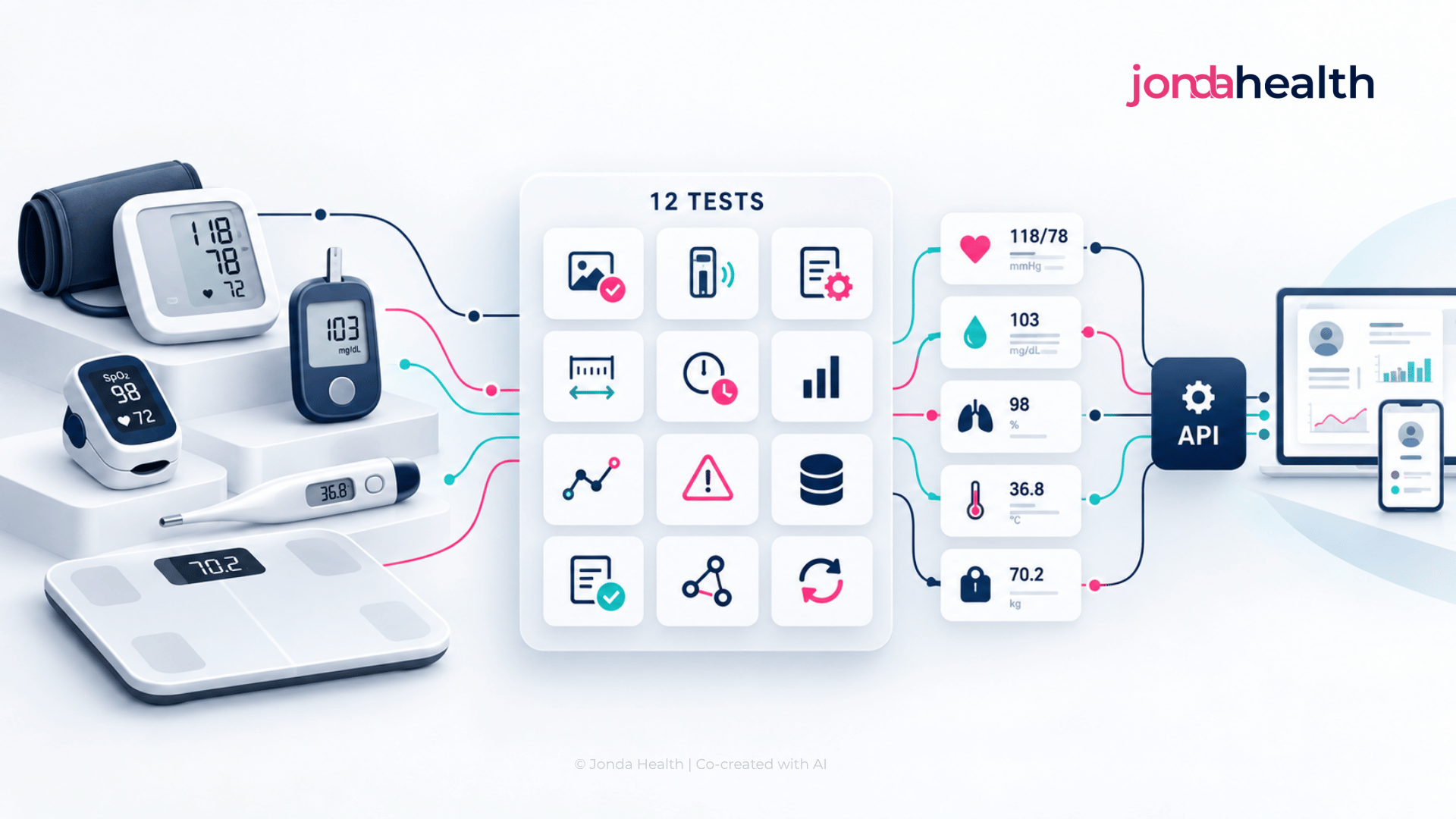
A medical device reading API takes a photograph of a home medical device, such as a blood pressure monitor, a glucometer, a pulse oximeter, a thermometer or a weighing scale, and returns the reading on its display as structured data. Remote monitoring programmes, chronic care apps, telehealth services, insurers and clinical studies use these APIs so that a patient can record a reading by taking a picture.
The need is easy to understand. Most home medical devices in use today are not connected. They were bought at a pharmacy, they work well, and they have no Bluetooth. The reading lives on a small screen for a few seconds and then has to reach your product somehow. This guide sets out what to test when you are choosing an API to do that. It is written to be vendor neutral, and at the end we explain how JondaX approaches each area.
It helps to be clear about the alternatives, because photo capture is not the right answer for every programme.
Photo capture tends to suit programmes that serve large or cost-sensitive populations, programmes where patients already own devices, and markets where connected devices are scarce. The twelve tests below are designed to show whether a particular API will hold up with your users.

A vendor's demonstration will usually feature a popular, well photographed device. Your users own whatever was on the pharmacy shelf, including local and low-cost brands, older models and devices with unusual screen layouts. Find out what is really in use, through a short survey or a review of photos you already hold, and build your test set around those devices. Cover every device type you intend to support, since an API that reads blood pressure monitors well may not have been built for glucometers or pulse oximeters.
Patients do not take studio photographs. They take them in a dim bedroom, at an angle, with a reflection across the screen, with a thumb over one corner, and sometimes just after the backlight has switched off. Many of your users may be elderly or unwell, and some will have a tremor. Collect real photos from real users, or ask a group of colleagues to take deliberately imperfect ones, and include them in the evaluation. A test set of 200 to 300 photos that reflects these conditions will tell you far more than a published accuracy figure.
Most home devices use seven-segment displays, which create their own kinds of error. A faded segment can turn an 8 into a 0 or a 6 into a 5. A 1 can be confused with a 7. The most serious case is the decimal point, because a glucose reading of 5.6 that becomes 56 looks like a medical emergency. Score accuracy at the level of each individual value, and look specifically at how often decimal points and leading digits are misread, because those are the errors that matter clinically.
Reading three numbers correctly from a blood pressure monitor is only half of the task. The API also has to know which is the systolic pressure, which is the diastolic pressure and which is the pulse, and device layouts differ in how they arrange them. On a pulse oximeter, oxygen saturation and pulse rate sit side by side and can be close in value, and some displays rotate depending on how the device is held. Confirm that the API returns each number labelled as the correct measurement across all the layouts in your test set, since a swapped pair of values is harder to spot than a misread digit.
The same device can often be switched between units: mmHg and kPa for blood pressure, mg/dL and mmol/L for glucose, Celsius and Fahrenheit for temperature, kilograms and pounds for weight. The unit is usually shown as a small indicator on the screen, and the API needs to read it and not assume it.
Devices also have modes and symbols that change the meaning of what is displayed. A monitor in memory mode is showing an old reading. An averaging mode shows a mean of several readings. Symbols may indicate an irregular heartbeat, movement during the measurement or a low battery, and messages such as "Err", "Lo" and "Hi" are not readings at all. Ask how the API handles each of these, and include examples in your test set.
Some photos cannot be read reliably by anyone. What matters is how the API behaves when that happens. The right behaviour is to say so clearly and quickly, so that your app can ask the patient to take the photo again while the device is still in their hand. The wrong behaviour is to return a confident guess. Check whether the API provides a confidence indication for each value, whether it applies plausibility checks (a diastolic pressure higher than the systolic, or an oxygen saturation of 140), and whether it distinguishes a photo it could not read from a photo that does not contain a device at all.
Unlike a laboratory report, which can be processed in the background, a device photo is taken by someone who is waiting for a response. If the answer takes more than a few seconds, the patient will have put the device away before your app can ask for a retake. Check that the API responds synchronously, measure the full round trip from a phone on an ordinary mobile connection, and find out whether images can be compressed or resized before upload without harming accuracy. This matters most for programmes that serve rural areas or markets with slower networks.
A reading is only useful if you know when it was taken and whose it is. The photo gives you the moment of capture, which may differ from the time shown on the device, and a patient may upload a photo hours after taking it. Agree on which timestamp your product will treat as the reading time. Consider how you will handle the same photo submitted twice, a photo of someone else's reading, or a photo of a photo. Some of this is the responsibility of your app and some can be supported by the API, so it is worth asking what the vendor provides, such as duplicate detection or image metadata.
The result needs to arrive in a form your product can use without further work. Confirm the formats on offer, such as JSON or a FHIR Observation, and check that each value comes with its measurement type, its unit and, where you need it, a code from the medical coding standards your systems use. The structure should be the same for every device of the same type, so that a blood pressure reading looks identical whether it came from one brand or another. If readings flow onward to an EHR or a remote monitoring platform, test that path from end to end.
A photo of a device is health information, and it often contains more than the device. There may be a hand, a face reflected in the screen, a prescription on the table or the inside of someone's home. Ask where images are processed and stored, and whether that fits your data residency obligations. Ask how long images are retained, whether you can choose to have them deleted once the reading is extracted, whether they are sent to any third-party AI model, and whether they are ever used for training. Ask for evidence, such as ISO 27001 certification, a data processing agreement and a clear statement of the regulatory frameworks the service is designed to comply with.
Software that handles clinical measurements can fall within medical device regulation, depending on the country and on what your product does with the reading. Transcribing a number that a regulated device has already measured is treated differently from interpreting it or triggering clinical action. Ask each vendor how they describe the intended use of their API, and take advice on how it fits within your own product's regulatory position. This is not a reason to avoid photo capture, but it is a conversation to have early.
Compare options on the total cost of getting a trustworthy reading into your system. For connected devices, that includes the hardware for every patient, shipping, replacements, pairing support and an integration for each manufacturer. For manual entry, the software cost is zero, but there is a real cost in wrong values, in clinical time spent questioning them and in patients who stop recording. For a device reading API, it is the price per reading plus the retakes. An illustrative example: a programme with 2,000 patients recording twice a day generates around 120,000 readings a month, so a difference of a cent per reading is $1,200 a month, while supplying each patient with a $40 connected device is an $80,000 commitment before the first reading arrives. The right answer depends on your population, which is why it is worth working through the numbers for your own programme.
Score each vendor from 1 to 5 on each area, using the same set of photos for all of them.
JondaX is the health data transformation engine from Jonda Health, and JondaX for medical devices is a medical device reading API. Your app sends a photo of a home medical device, such as a blood pressure monitor, a glucometer or a pulse oximeter, and JondaX returns the reading as structured data.
The device module responds synchronously, so the reading comes back while the patient is still holding the device. Results are returned as structured output that your product can use directly, in formats including JSON and FHIR.
For many teams the larger benefit is having one place for all of a patient's incoming data. The same JondaX account and the same API also handle laboratory and pathology reports, in more than ten languages, so a chronic care programme can bring home readings and laboratory results into one consistent, standardised record without building a separate pipeline for each. Teams building with AI agents can reach both through the JondaX MCP server.
Jonda Health is ISO 27001 certified, and JondaX is designed to comply with HIPAA, GDPR and PDPA.
The best way to evaluate any device reading API, ours included, is with your own users' photos. Gather a sample from the devices your patients really use, run them through JondaX and score the results against the twelve areas above. Try JondaX or get in touch with our team,and we will gladly help you set up the test.
It is a service that receives a photo of a home medical device, such as a blood pressure monitor, glucometer, pulse oximeter, thermometer or scale, and returns the values on its display as structured data, labelled with the measurement type and unit.
Yes. A device reading API works with the device the patient already owns, so no pairing, connected hardware or manufacturer integration is needed. The patient takes a photo in your app and the reading is returned within seconds.
General OCR is built for printed text. Device displays use segmented digits, small unit indicators and symbols, and the numbers only make sense once each is assigned to the right measurement. A purpose-built API handles those aspects, and also recognises when a photo should be retaken.
It depends on the API and on your users' photos, which is why testing on your own sample matters. Photo capture removes typing errors and rounding, and it leaves you with the image as evidence of the reading, which manual entry cannot offer.
It depends on the country and on what your product does with the reading. Transcribing a value already measured by a regulated device is generally treated differently from interpreting it. Ask the vendor about their stated intended use and take advice for your own product.
Yes. JondaX from Jonda Health includes a medical device reading API and a lab report API in the same service, so home readings and laboratory results can arrive in one standardised format.
Suhina Singh is the founder and CEO of Jonda Health, a Singapore-based health data infrastructure company. A physician by training, she works with health systems across Asia-Pacific to harmonise, de-identify and standardise clinical data so it can be trusted and used. Jonda Health is ISO 27001 certified.