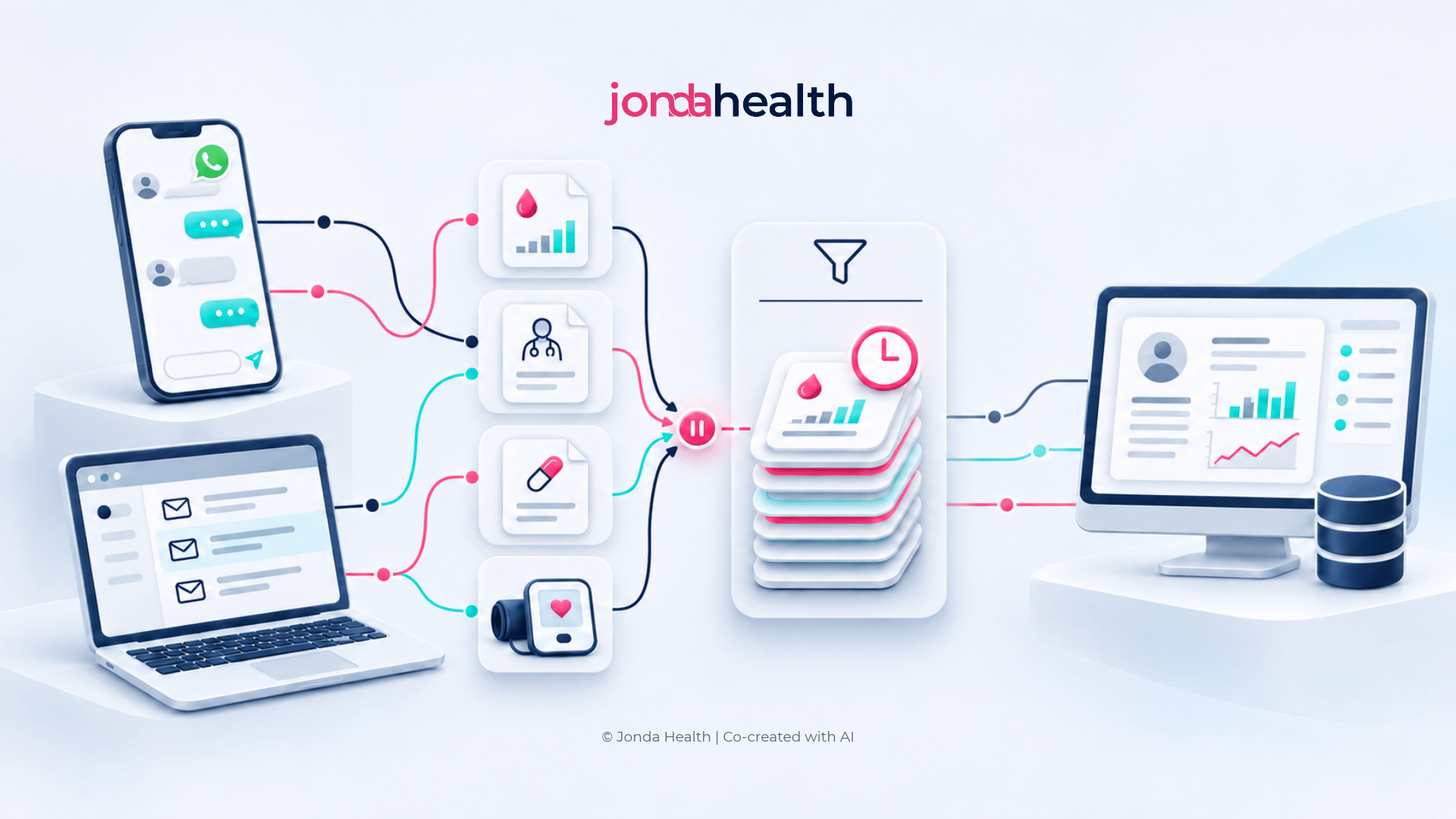
Patients send lab results, referral letters, prescriptions and their own blood pressure readings on WhatsApp. Laboratories and specialists send reports and letters by email. The information does reach the clinic. Getting it into the clinic system takes far more staff time than most clinics realise.

On a typical morning at a busy clinic, one patient sends a photo of her blood results on WhatsApp. Another sends a referral letter from his previous doctor, a photo of his current prescription and a week of home blood pressure readings, some as screenshots of the monitor and some written on a piece of paper. Meanwhile an external laboratory emails three PDF reports for different patients, and a specialist's office emails a discharge summary and clinic notes for someone due in that afternoon. Across Asia, WhatsApp and email have become two of the most common ways health information reaches a clinic. Patients in particular choose WhatsApp because it is usually the easiest option they have: it is already on their phone, and sending a photo takes seconds.
Neither channel is connected to the clinic system, so each file waits until someone notices it, downloads it, works out which patient it belongs to and gets it into the record. That might mean uploading it as an attachment or typing the values in by hand, and until someone does, the information is not in the patient's record.
We have written this for clinic owners, medical directors and practice managers who deal with these files every day, and for the product and engineering teams at electronic medical record (EMR), clinic management system and messaging platform vendors who build the tools those clinics rely on. The privacy and regulatory side of WhatsApp and email intake is covered in a companion article.
The short answer: Files from WhatsApp and email are slow to reach the record because the channels are disconnected from the clinic system and every step in between depends on a person. The fix is to connect both channels to a single intake flow that picks up each file automatically, matches it to the right patient, turns it into structured data with review where confidence is low, and files it in the record with a confirmation back to the sender.
Figure 1. How patient files from WhatsApp and email usually reach the clinic system today. The two middle steps are manual, and the file often lands in the record as an image rather than as data.
Figure 1 shows how this usually works today. WhatsApp and email themselves are rarely the problem. The time and the errors come from the two middle steps, which depend on a person noticing the file and having time to deal with it, and from the last step, where the result often ends up in the record as a picture that someone still has to read.
A WhatsApp message lands on whichever devices the clinic's account is linked to, whether that is a company phone, a staff member's phone or WhatsApp Web on the reception computer. An email lands in a shared inbox, a doctor's personal work inbox or both. The clinic system has no way of knowing that a new lab result has arrived, so nothing appears in the patient's record, nobody is alerted and the file waits for a person to find it.
Over a day, this adds up. Files that arrive during a busy session get dealt with at the end of the day, or the next morning, or when the patient turns up and asks whether the doctor has seen their results. If you build clinic software, this is the first gap to close, because nothing else can happen until the system knows a file exists.
Once a file is found, getting it into the record takes a surprising number of small steps, and they differ slightly by channel. Table 1 sets them out side by side.
Table 1. The manual steps between a file arriving by WhatsApp or email and that file appearing in the patient's record.
As Table 1 shows, none of these steps is hard on its own. There are simply a lot of them, spread across front-desk staff, nurses and doctors who all have other things to do. Clinics handle this in different ways, depending on their size, their staff and the systems they use. In one hospital we work with in Myanmar, nurses photograph reference laboratory reports and upload them to the electronic health record (EHR), and automating the step that follows saves about 20 to 30 minutes per report compared with entering the results by hand.
Who sent the file tells you less than you might expect. On WhatsApp, a mother often sends results for her children and her own parents from the same number. By email, the sender is usually a laboratory or another clinic, and the patient is identified only inside the document, sometimes with a slightly different spelling of their name or a different identifier from the one the clinic uses. When matching is done by memory and a quick search, a result occasionally ends up in the wrong record, and that is far harder to unpick than a delay.
Figure 2 shows both situations. In the top row, a single WhatsApp number brings in results for three different people. In the bottom row, the email tells the clinic which laboratory sent the report, but only the document itself says which patient it is about.
Figure 2. Why the sender is a weak clue for matching. On WhatsApp, one number can carry results for several family members; by email, the sender is the laboratory and the patient is identified only inside the document.
A reliable approach uses the sender as a starting point, reads the identifiers inside the document (name, date of birth, record number, the requesting doctor) and sends anything ambiguous to a person to confirm. That logic is best built into the product once, rather than left to each clinic's staff to work out.
Uploading a photo of a lab report, a prescription or a blood pressure log into the record is better than leaving it in a chat, but it is still a picture. The clinic system cannot trend a patient's glycated haemoglobin (HbA1c) or home blood pressure from it, flag a high potassium, check a new prescription against current medications or send results on to another system. Every time the information is needed, someone has to open the image and read it again.
Figure 3 puts the two side by side. The attachment on the left has to be opened and read every time. The structured version on the right can be searched, trended and flagged, and abnormal values, such as the HbA1c and potassium here, stand out straight away.
Figure 3. The same information held two ways. On the left, a photo of a lab report stored as an attachment; on the right, the values from that report, a home blood pressure reading and a medication from a referral letter captured as structured data, with abnormal results flagged.
The inputs also vary a great deal. Patients send lab reports, referral letters, notes from other clinics, prescriptions and medication lists, and their own measurements, such as photos of a blood pressure monitor or glucose meter screen, or a handwritten log of readings. Those arrive as photos taken at an angle under poor lighting, screenshots of laboratory and health apps, and multi-page PDFs. Email brings reports from many different laboratories, each with its own layout, test names, units and reference ranges, and sometimes in different languages, along with discharge summaries, imaging reports and clinical notes.
Each type needs different handling. A lab result needs the test, value, unit and reference range. A blood pressure reading needs both systolic and diastolic values, the pulse where it is shown, and the date and time it was taken. A referral letter or clinic note needs the reason for referral, relevant history and current medications pulled out of free text. Turning all of that into consistent data means extracting each item, standardising names and units, mapping them to medical coding standards and to the clinic's own lists, and checking the result.
Chats scroll out of view, emails land in the wrong folder or get forwarded between colleagues, and a patient who is unsure whether their results arrived often sends them again, sometimes on WhatsApp and by email. The clinic ends up with gaps in some records and duplicate files in others, and staff spend time checking which version is current. Without a confirmation back to the sender, patients have no way of knowing that their file was received and filed.
The change that saves the most time is connecting the channels directly, so people no longer have to carry files from one system to another. Figure 4 shows what that flow looks like when WhatsApp and email feed the same intake queue.
Figure 4. A connected intake flow for files from WhatsApp and email. Navy steps connect the channels and collect the files; teal steps turn each file into structured data and file it in the clinic system.
The first step in Figure 4 works differently for each channel. For WhatsApp, the clinic's number is connected to Cloud API, Meta's hosted version of the WhatsApp Business Platform. Clinics that want their staff to keep using the WhatsApp Business App can use Meta's coexistence option, which mirrors messages between the app and Cloud API and can synchronise up to six months of chat history,1 although it is not available in every country. Each incoming file then triggers a notification to the clinic's software. The download link Meta provides expires after five minutes,2 so the file is fetched as soon as the notification arrives. For email, a dedicated intake address that laboratories and patients send to, or a connection to the clinic's existing mailbox, lets attachments be picked up the moment they land.
With both channels feeding one queue, the clinic has a single place to see what has arrived, what has been filed and what still needs attention. It is also simpler for a vendor to build and support one intake layer than separate WhatsApp and email features.
It makes sense to turn a file into data when it arrives, before anyone needs it. If results are structured on intake, the doctor opens the record and sees today's HbA1c alongside the last three, and a week of home blood pressure readings next to the clinic's own, rather than a set of attachments to click into. Abnormal values can be flagged to the right clinician, and the clinic can send results on to other systems without anyone retyping them.
Figure 5 shows what that looks like in practice. The HbA1c result that arrived today appears as the latest point in a trend, and the photos of the patient's blood pressure monitor become two lines the doctor can read at a glance.
Figure 5. What structuring on intake makes possible in the record. On the left, the latest HbA1c sits in context with the previous three results; on the right, a week of home blood pressure readings sent on WhatsApp is shown as systolic and diastolic trends rather than seven separate photos.
The other half is letting the sender know. An automatic reply on WhatsApp or by email confirming that the file has been received and added to the record cuts down on repeat sends, and an activity log showing when each file arrived, who reviewed it and where it was filed gives the clinic a clear view of the whole flow. For clinic teams, this is where the time saved becomes visible.
The thread running through all 7 points: patients and laboratories can keep using WhatsApp and email exactly as they do now. The work is in connecting those channels to the clinic system, so that each file reaches the right record as usable data without someone having to move it.
Table 2. The seven fixes as a checklist, with the action for clinics and the matching action for EMR, clinic management system and messaging vendors.
Jonda Health works with clinics, and with the EMR, clinic management system and messaging vendors that serve them, to turn health data that arrives in any format, through any channel, into structured, standardised information that clinicians and systems can actually use. WhatsApp and email intake can be configured as part of that set-up.
JondaX has processed more than 500,000 files and 26 million data points in over 10 languages, at 99.9% field-level accuracy, and integration typically takes about two weeks.
Connect the clinic's WhatsApp number to the WhatsApp Business Platform, either through Cloud API or through Meta's coexistence option if staff want to keep using the WhatsApp Business App.1,3 Each incoming file then triggers a notification to the clinic's software, which downloads it, matches it to a patient and passes it on for structuring and filing in the EMR or clinic management system.
Yes. A dedicated intake address, or a connection to the clinic's existing mailbox, lets software pick up attachments as they arrive, match them to the patient and send structured results into the clinic management system, rather than relying on staff to download and upload each one.
Often, yes. Meta's coexistence option connects an existing Business App number to Cloud API while staff keep using the app, with messages mirrored between the two and up to six months of chat history synchronised.1 It is not available in every country, so check the current list.
An attached report is stored as an image or PDF that a person has to open and read. A structured report has each test, value, unit and reference range captured as data, so the system can trend results over time, flag abnormal values and share them with other systems.
The sender's number or email address is a starting point, but it often belongs to a family member, a carer or a laboratory. Reliable matching combines the sender with identifiers inside the document, such as name, date of birth and record number, and sends anything ambiguous to a person to confirm.
Yes. JondaX uses AI and machine vision to read photos and PDFs of lab reports, device readings and clinical documents from any channel, with clinical review built in. It returns structured data mapped to medical coding standards and delivers it into EHRs, clinic management systems and clinical decision support systems through a single API.
About the author. Suhina Singh is Founder & CEO of Jonda Health. Her background spans clinical medicine, medical affairs and digital transformation in pharma across Asian markets, investing in digital health and building health data products. You can reach her at suhina@jonda.health.